
Office SketchUp models
Compare reception counters, corner desks, booths, columns and wall features. Use the collection to practice visitor approach views, workspace arrangement and clear visual presentation of office concepts.

Browse the collection
Choose a preview, open the model link and review the file in SketchUp before adding it to your study scene.
Reception Desk — Study A
Use this reception-desk variation to practice a front-of-house layout. Compare the visitor-facing surface with the staff-side work area and keep the entrance route visible.
Download SketchUp model ↧View in Google Drive ↗
Reception Desk — Study B
Compare this desk with Study A in a shared presentation scene. Focus on the front profile and the transition between the counter and the surrounding space.
Download SketchUp model ↧View in Google Drive ↗
Reception Desk — Study C
Arrange a reception study around this third desk variation. Inspect the modeled height and depth before adding a chair, signage or visitor seating.
Download SketchUp model ↧View in Google Drive ↗
Twisted Interior Column
Explore the twisting profile as a decorative office feature. Compare it with a straight placeholder column and inspect how repeated edges change the silhouette.
Download SketchUp model ↧View in Google Drive ↗
Industrial Reception Desk
Use the industrial-style desk as the starting point for a reception material study. Compare a restrained finish palette with a stronger contrast between the counter and front.
Download SketchUp model ↧View in Google Drive ↗
Corner Desk
Practice fitting the desk into a corner workspace. Check the two wall relationships and the chair position, then compare a plan view with a seated camera view.
Download SketchUp model ↧View in Google Drive ↗
Reception Desk with Signage
Study the relationship between the reception counter and its visible signage. Keep text or logos as a distinct part of the exercise so the layout can be adapted cleanly.
Download SketchUp model ↧View in Google Drive ↗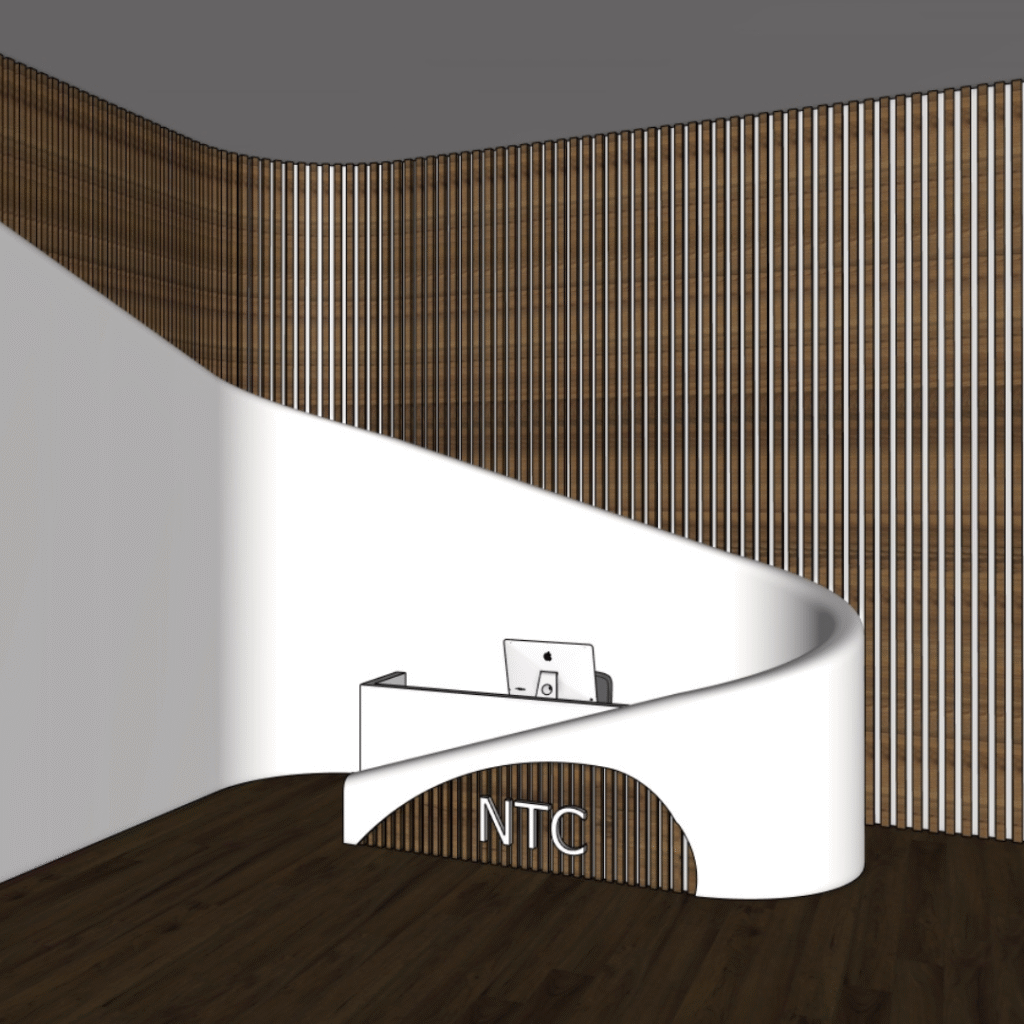
Reception Feature — Study A
Inspect this reception feature in a clean file before including it in an office. Compare its scale with a desk placeholder and identify which parts you want to retain.
Download SketchUp model ↧View in Google Drive ↗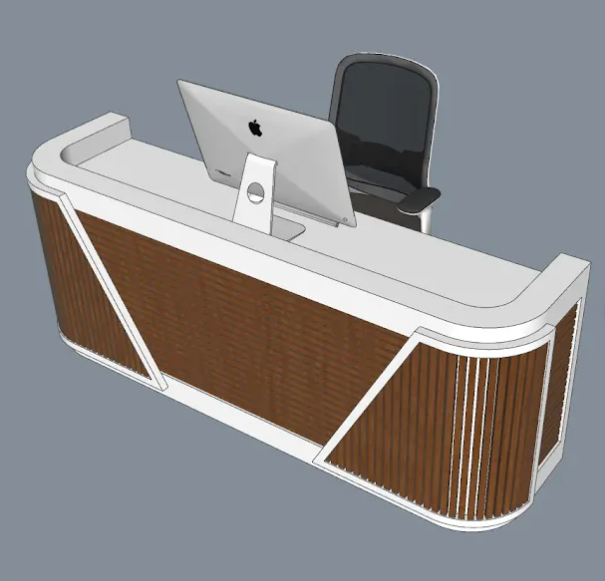
Reception Feature — Study B
Use this alternative reception feature for a comparison exercise. Place it beside Study A and assess the front silhouette, overall dimensions and surrounding circulation.
Download SketchUp model ↧View in Google Drive ↗
Decorative Interior Column
Use the column as a vertical accent in an office concept. Compare its position with desks and partitions while keeping the main walking route unobstructed.
Download SketchUp model ↧View in Google Drive ↗
Office Wall Panel
Practice building an accent wall behind a desk or reception area. Compare one panel with a repeated arrangement and inspect joins before preparing a rendered view.
Download SketchUp model ↧View in Google Drive ↗
Booth or Kiosk
Use the booth to study a compact display or service point. Check the modeled opening and footprint, then compare visitor approach views from two directions.
Download SketchUp model ↧View in Google Drive ↗Plan a compact reception area
- Mark the entrance and draw the main visitor route before choosing a desk. Use simple placeholders for staff seating and waiting seats.
- Measure the imported counter and inspect both front and rear views. Compare the visitor-facing composition with the staff workspace.
- Add one wall feature or signage element. Keep a version without decorative geometry so you can judge the layout and identify objects that slow the file.
Compare office chairs and display furniture · Organize your SketchUp file · Prepare a V-Ray presentation
For tool instructions, consult the official SketchUp guides to units, measuring distance and saved scenes.
Continue exploring
Learn a related technique
How To Put Textures On Curved Surfaces Super Easily!
Practice task: test a clearly patterned texture on one curved surface. Inspect seams and direction from multiple views before applying the same material across your room.
Watch on YouTube ↗