
FREE SKP · NICE TOWER PLUS
Moon Wall Art Dining Room SketchUp Model
Explore a dining-area scene with circular moon artwork, a long table and suspended wooden light bars. Download the SKP and compare the three source views with the matching Nice Tower AI-rendering Short.
Download SKP Watch the Short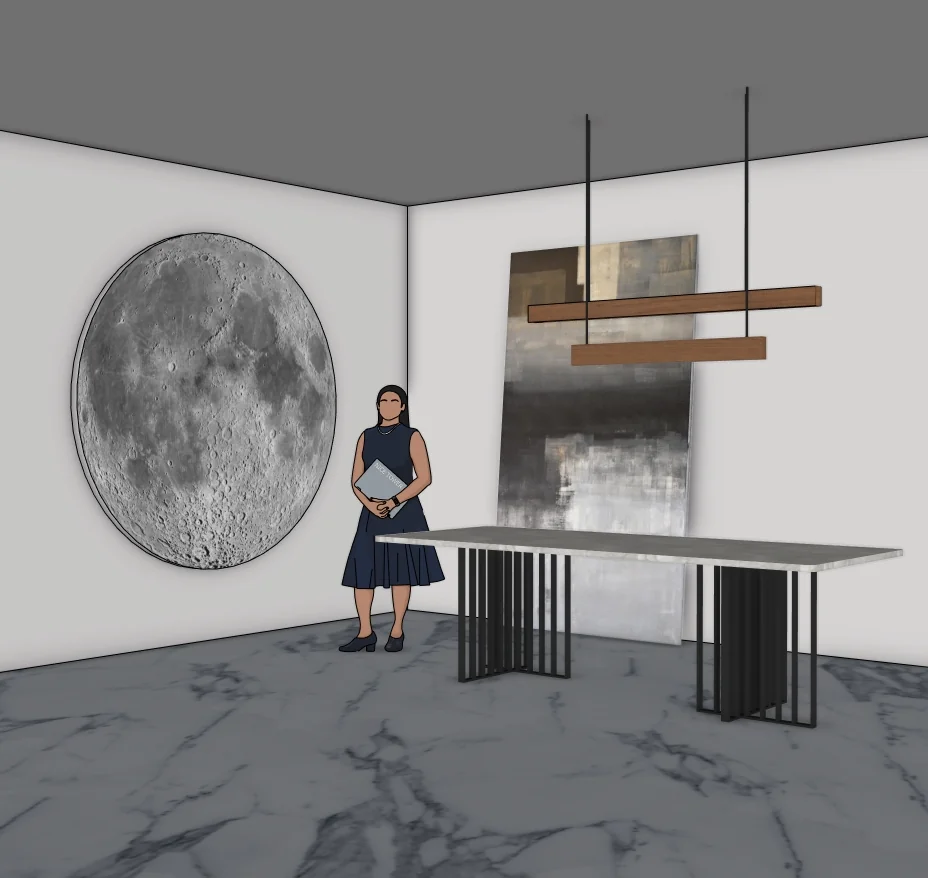
What to study in this interior scenes model
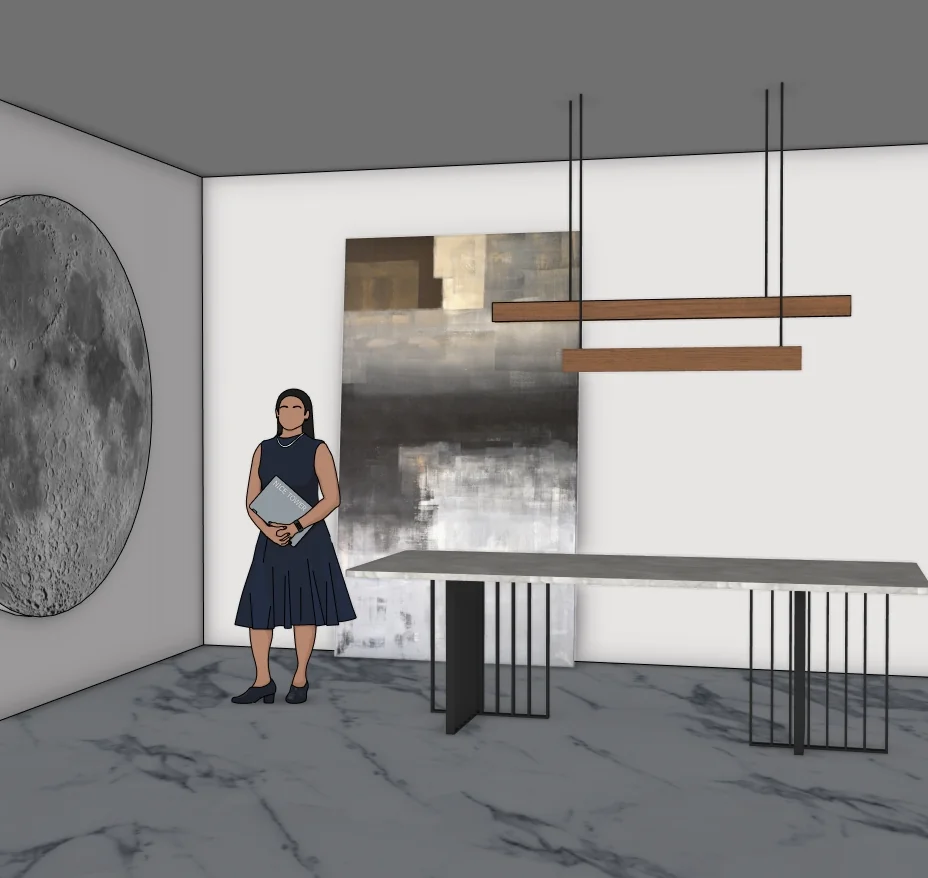
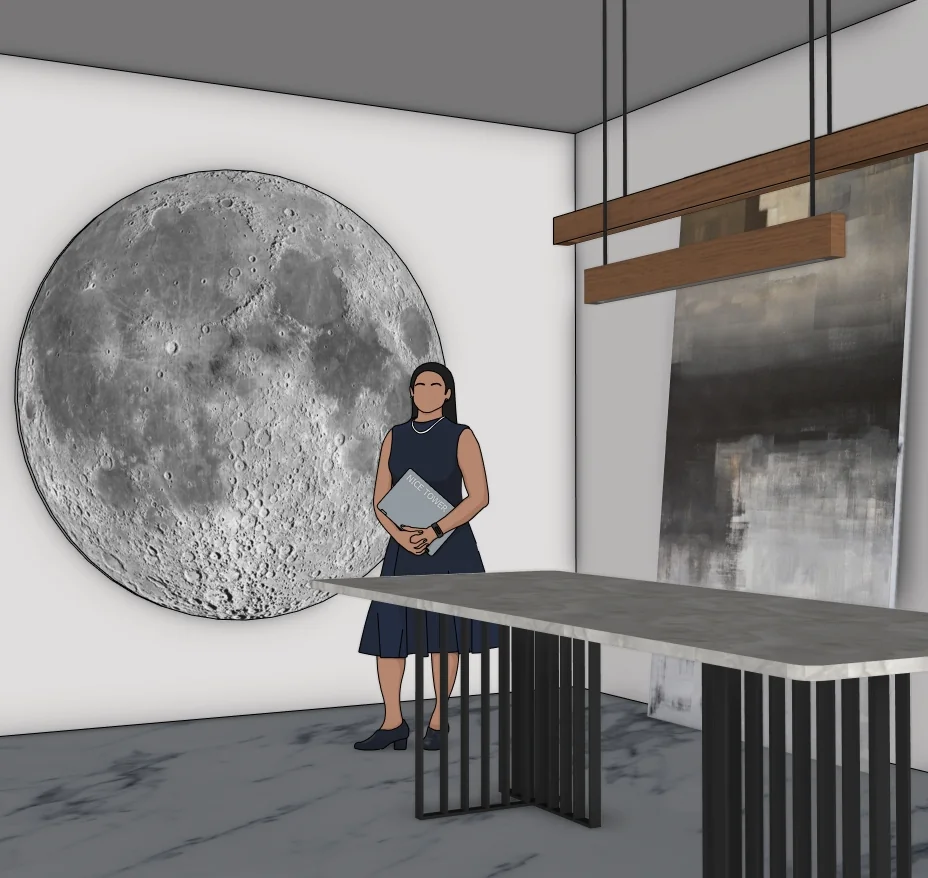
A large circular moon image anchors the wall composition. The long pale tabletop sits above dark slender vertical supports, while two wooden pendant bars hang from dark cables. The background includes a console and wall details. Dining chairs are not visible in the supplied model previews, so the file is presented as a scene study rather than a verified complete furniture package.
Three views of the supplied model
Select a preview to enlarge it. These are model views, not a promise of photorealistic rendered output.
Use the model for a focused SketchUp study
The following exercises are suggestions for inspecting the download, rather than a claim that every step appears in the Short.
1. Balance the circular artwork and table
Compare the moon image with the long horizontal tabletop. Study their placement together before adding further wall decoration to a copy of the scene.
2. Inspect the suspended bars
Use the angled view to distinguish the wooden bars from their hanging cables. Check alignment relative to the table rather than judging only the front elevation.
3. Separate the model from the render
Use the three previews to identify the supplied geometry. Treat atmosphere, lighting and extra visual details in the AI presentation as a separate visualization outcome.
For the underlying tool behavior, see Organizing scene objects with components.
Watch the matching Nice Tower Short
The matching 59-second Short compares a SketchUp scene with an AI-rendered presentation and references Vibe3D in its description. Its purpose is visualization, not a full demonstration of how every object was modeled. Compare the source views with the video before assuming rendered accessories or lighting details are part of the download.
Download file specifications
| File | Modern Luxury Dining Room with Moon Wall Art and Pendant Lighting-v_2018.skp |
|---|---|
| Format and size | .skp · 69,749,899 bytes (66.52 MiB) |
| SketchUp format | Saved in SketchUp 2018 format; verified file header 18.0.1. Use a compatible desktop SketchUp version to inspect the model. |
| Category | Interior scenes |
| Included previews | Three model views. The images show the supplied design; inspect the SKP for its editable geometry. |
| Intended use | Personal modeling practice and educational study; not construction documentation. |
| Availability | Free public Google Drive download; no site registration required. Google Drive may display a download confirmation for large files. |
Questions about this download
Are all details shown in the AI render included in the file?
That is not guaranteed. The three source previews describe the model being supplied; the Short demonstrates an AI visualization that may interpret or add visual details.
How should I open and inspect the SKP?
Download the file, keep an untouched original and open a copy in a compatible desktop SketchUp installation. Inspect the model scale and component structure before adapting it to your own scene. A SketchUp file is not a substitute for project-specific measurements.
Is registration required, and what use is permitted?
No Nice Tower Plus registration is required for this public download. Use it for personal modeling practice and educational study under our model use policy. The download does not establish construction or manufacturing suitability.
Download the Moon Wall Art Dining Room SketchUp Model
Modern Luxury Dining Room with Moon Wall Art and Pendant Lighting-v_2018.skp · 66.52 MiB · SketchUp 2018 format
Download free SKP Open file in Google DriveContinue with related models and tools
For longer guided learning, explore Nice Tower SketchUp courses. For additional modeling tools, see NT Plugins. These are separate resources, not requirements verified for this download.