
FREE SKP · NICE TOWER PLUS
Twisted Wooden Pergola SketchUp Model
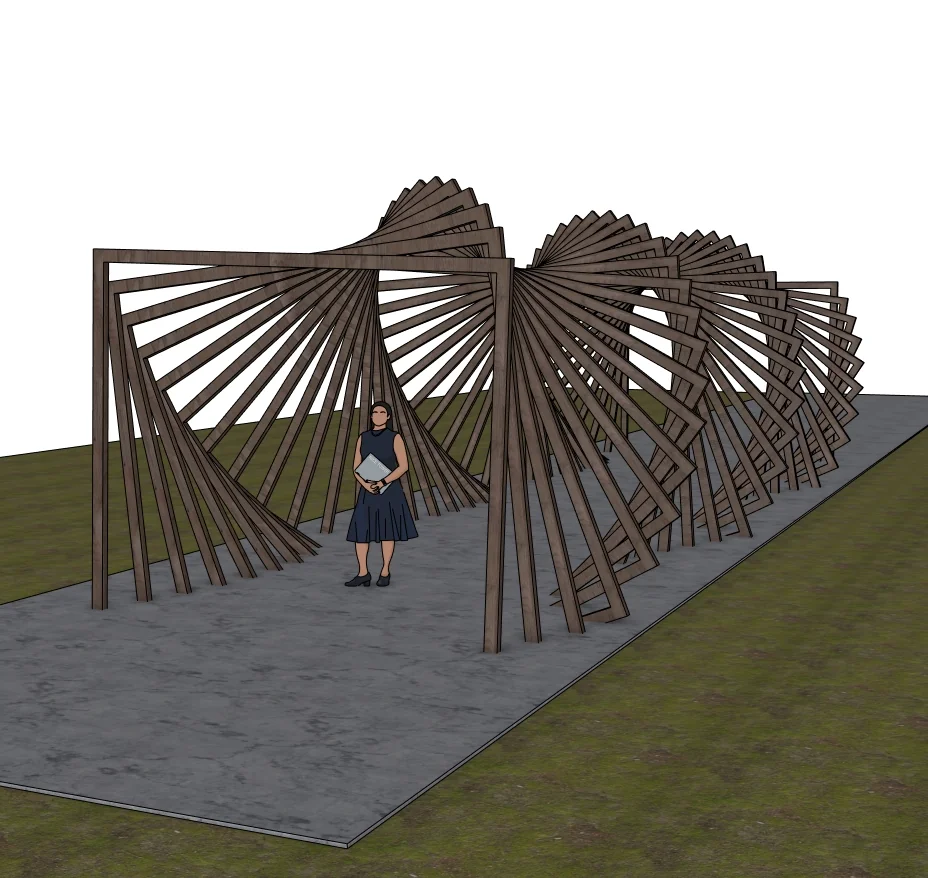
Explore a timber-colored passage formed by a sequence of rotating rectangular frames. Download the SketchUp file and use three previews to study the changing outline and repeated-frame arrangement.
Download SKP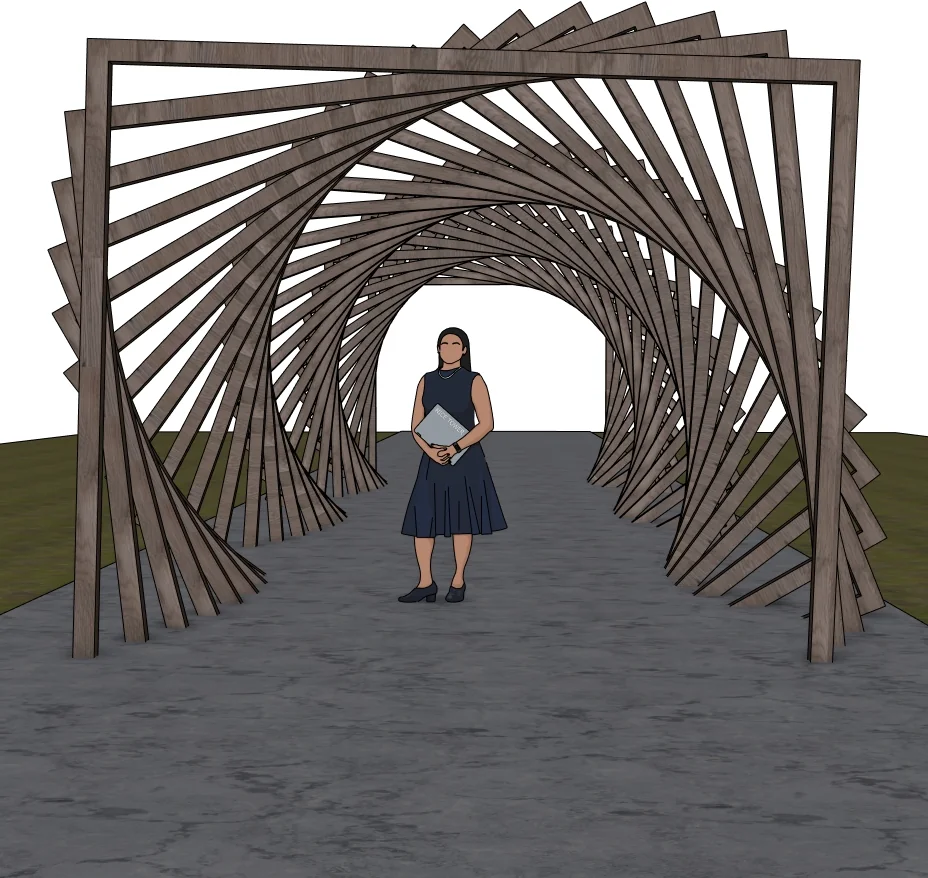
What to study in this outdoor structures model
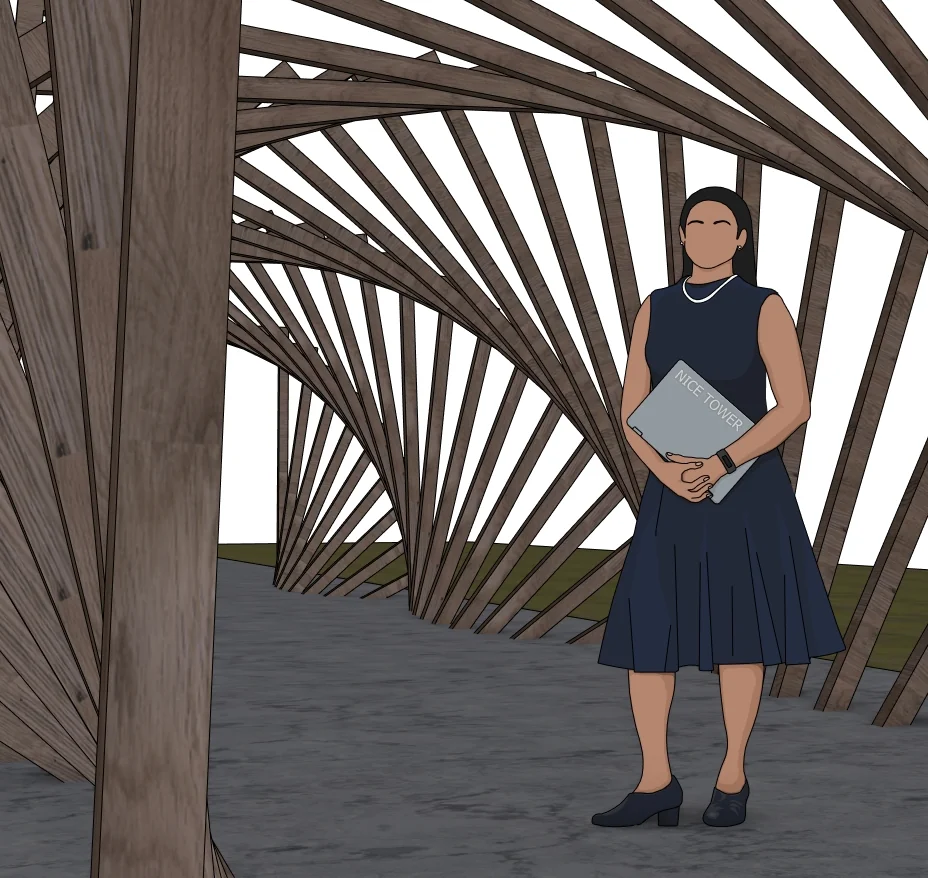
The model creates a tunnel-like outdoor passage by gradually changing the orientation of successive rectangular frames. Their timber appearance contrasts with the darker platform below. A long view shows the overall twist, while the angled and close views help explain the relationship between individual frames and the opening through them.
Three views of the supplied model
Select a preview to enlarge it. These are model views, not a promise of photorealistic rendered output.
Use the model for a focused SketchUp study
The following exercises are suggestions for inspecting the downloaded geometry.
1. Identify one frame in the sequence
Start with a single rectangular frame and compare its orientation with its neighbours. The overall twist comes from the sequence, so inspect the transition rather than only the first and last frames.
2. Compare the passage and outside silhouette
A dramatic exterior outline does not describe the usable opening by itself. Use several camera angles and project-specific measurements when considering a similar walkway concept.
3. Practise a short rotated array
On a separate copy or a simple practice model, make a short sequence of frames with consistent spacing. Change one rotation increment at a time to understand its effect on the tunnel form.
For the underlying tool behavior, see Official Rotate and array guidance.
Watch the matching pergola Short
This 60-second Nice Tower Short demonstrates the rotating pergola form using Play It Again and Fredo Scale. Watch how the repeated frames develop the passage, then inspect the downloaded model from more than one angle. The demonstration does not establish structural sizing or construction suitability.

Download file specifications
| File | Parametric Twisted Wooden Pergola 3D Model-v_2018.skp |
|---|---|
| Format and size | .skp · 77,454,686 bytes (73.87 MiB) |
| SketchUp format | Saved in SketchUp 2018 format; verified file header 18.0.1. Use a compatible desktop SketchUp version to inspect the model. |
| Category | Outdoor structures |
| Included previews | Three model views. The images show the supplied design; inspect the SKP for its editable geometry. |
| Intended use | Personal modeling practice and educational study; not construction documentation. |
| Availability | Free public Google Drive download; no site registration required. Google Drive may display a download confirmation for large files. |
Questions about this download
Does the word parametric mean the file contains an editable generator?
The source file name uses parametric, but an adjustable generator or live parameter controls have not been verified. The supplied previews establish the repeated twisted form, not a specific procedural plugin or system.
How should I open and inspect the SKP?
Download the file, keep an untouched original and open a copy in a compatible desktop SketchUp installation. Inspect the model scale and component structure before adapting it to your own scene. A SketchUp file is not a substitute for project-specific measurements.
Is registration required, and what use is permitted?
No Nice Tower Plus registration is required for this public download. Use it for personal modeling practice and educational study under our model use policy. The download does not establish construction or manufacturing suitability.
Download the Twisted Wooden Pergola SketchUp Model
Parametric Twisted Wooden Pergola 3D Model-v_2018.skp · 73.87 MiB · SketchUp 2018 format
Download free SKP Open file in Google DriveContinue with related models and tools
For longer guided learning, explore Nice Tower SketchUp courses. For additional modeling tools, see NT Plugins. These are separate resources, not requirements verified for this download.