
FREE SKP · NICE TOWER PLUS
Twisted Frame Pavilion SketchUp Model
Explore an outdoor pavilion made from repeated rectangular frames with changing orientation. Download the SKP and follow the matching 59-second Nice Tower Short showing the development from simple geometry.
Download SKP Watch the Short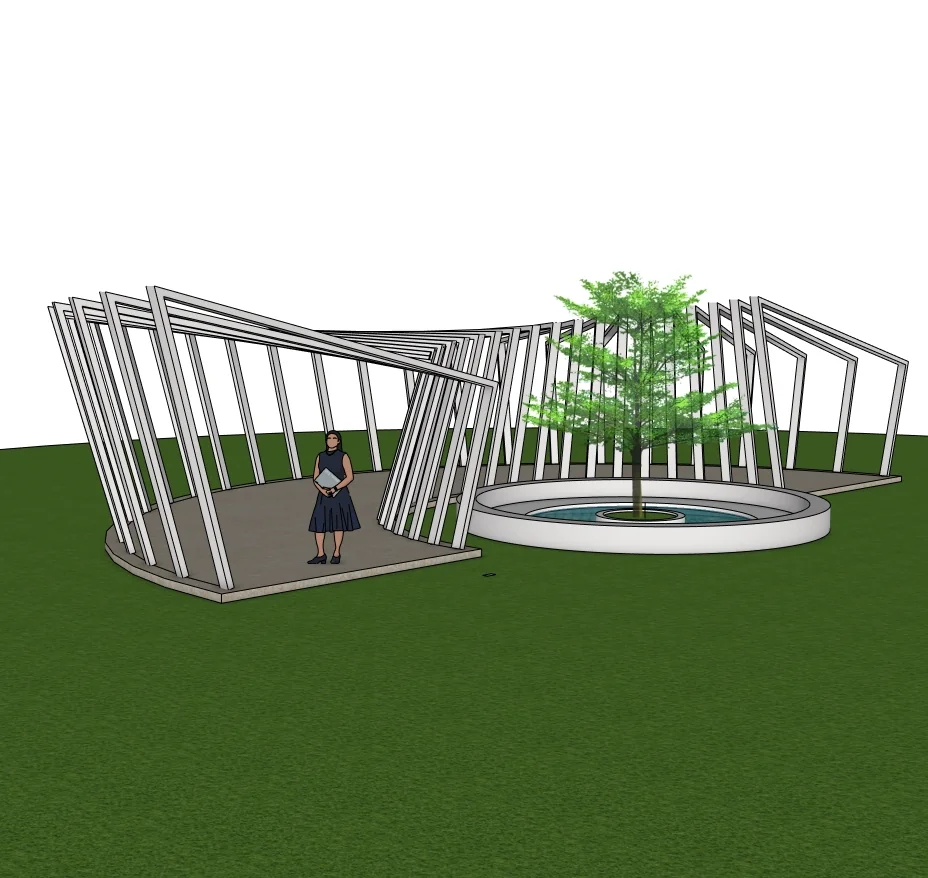
What to study in this outdoor structures model
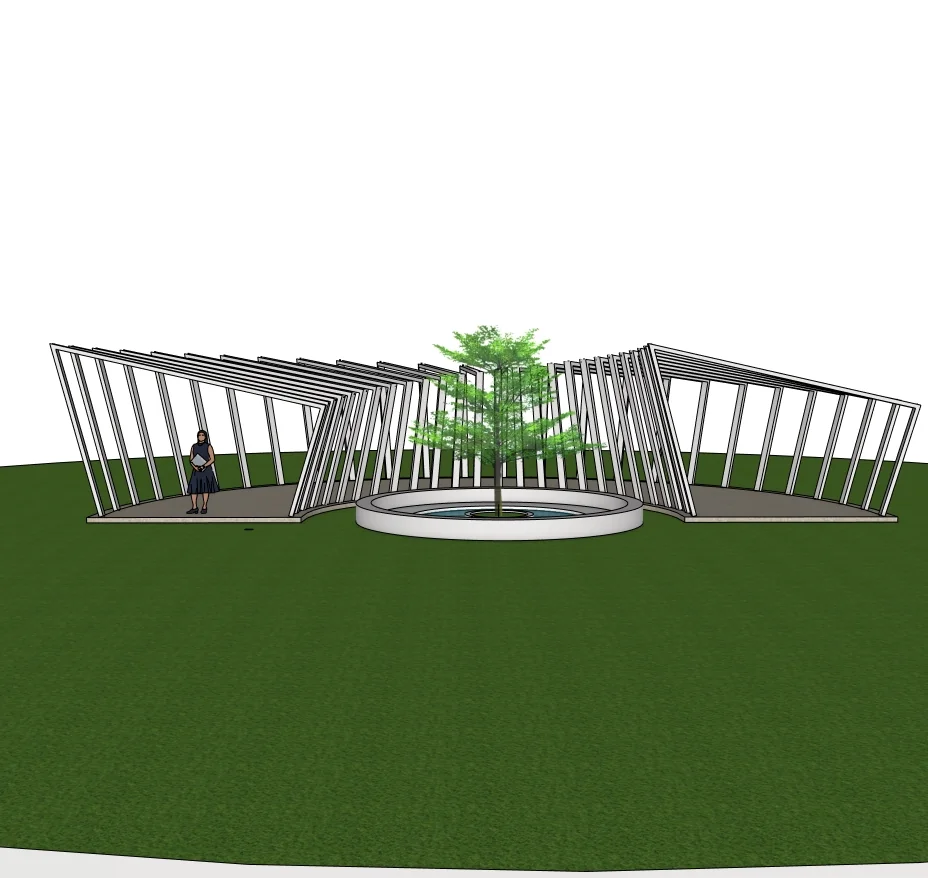
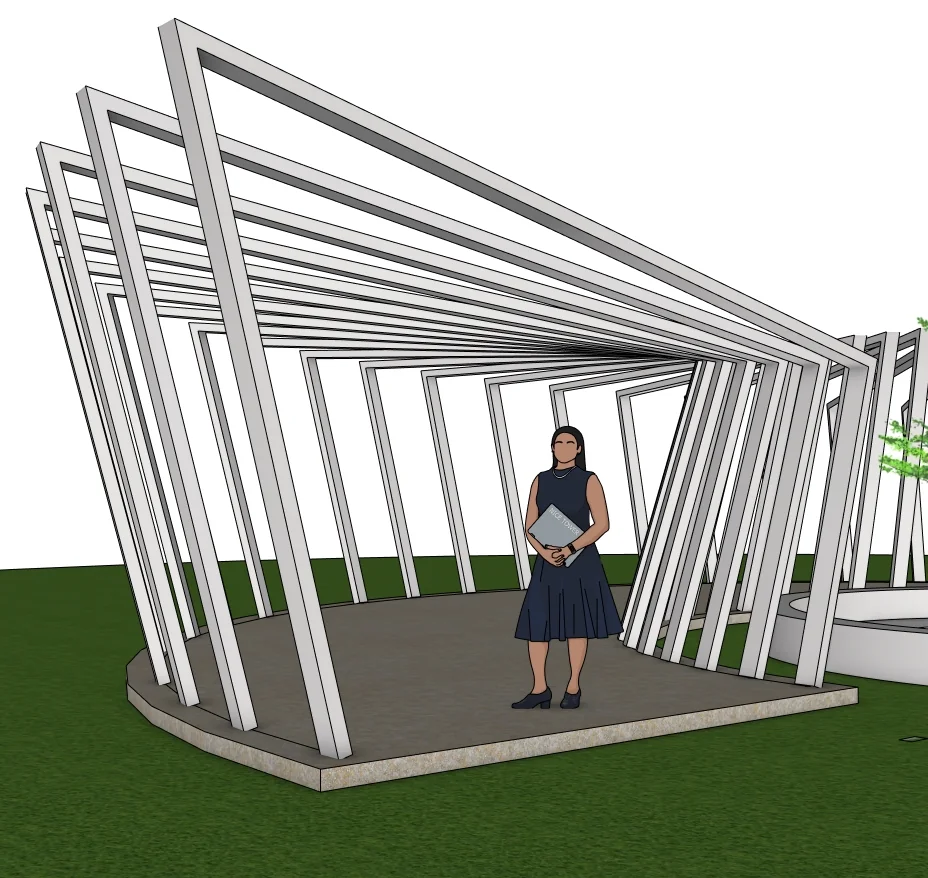
Pale structural-looking frames define two connected outdoor wings above a dark platform. Their changing orientation creates a more dynamic edge than a regular flat canopy. A circular planted area with a tree helps explain the central outdoor composition. Compare the wide view with the closer view to understand how the frame sequence changes along the walkway.
Three views of the supplied model
Select a preview to enlarge it. These are model views, not a promise of photorealistic rendered output.
Use the model for a focused SketchUp study
The following exercises are suggestions for inspecting the download, rather than a claim that every step appears in the Short.
1. Separate repetition from rotation
Identify a single rectangular frame and compare its orientation with the next. Practise a short sequence first so that rotation errors remain easy to spot.
2. Check the junction of the wings
Use an elevated view to examine where the two sequences meet. A convincing overall silhouette can still hide intersections that need closer inspection.
3. Assess the outdoor layout
Use the platform and central planting as scene references. On a copy, examine the walking route and available headroom with project-specific measurements.
For the underlying tool behavior, see Rotation and repeated arrays in SketchUp.
Watch the matching Nice Tower Short
The matching Short develops the outdoor form from basic lines and simple geometry. No specific extension is identified in its description. Although the file name describes steel frames, the model and video do not establish structural sizing, connections or engineering approval.
Download file specifications
| File | Modern Parametric Outdoor Pavilion with Twisted Steel Frames -v_2018.skp |
|---|---|
| Format and size | .skp · 73,615,296 bytes (70.21 MiB) |
| SketchUp format | Saved in SketchUp 2018 format; verified file header 18.0.1. Use a compatible desktop SketchUp version to inspect the model. |
| Category | Outdoor structures |
| Included previews | Three model views. The images show the supplied design; inspect the SKP for its editable geometry. |
| Intended use | Personal modeling practice and educational study; not construction documentation. |
| Availability | Free public Google Drive download; no site registration required. Google Drive may display a download confirmation for large files. |
Questions about this download
Can this be used as a construction-ready steel pavilion?
No. The SKP is a visualization and geometry study. Structural capacity, foundations, connections and local building requirements have not been verified.
How should I open and inspect the SKP?
Download the file, keep an untouched original and open a copy in a compatible desktop SketchUp installation. Inspect the model scale and component structure before adapting it to your own scene. A SketchUp file is not a substitute for project-specific measurements.
Is registration required, and what use is permitted?
No Nice Tower Plus registration is required for this public download. Use it for personal modeling practice and educational study under our model use policy. The download does not establish construction or manufacturing suitability.
Download the Twisted Frame Pavilion SketchUp Model
Modern Parametric Outdoor Pavilion with Twisted Steel Frames -v_2018.skp · 70.21 MiB · SketchUp 2018 format
Download free SKP Open file in Google DriveContinue with related models and tools
For longer guided learning, explore Nice Tower SketchUp courses. For additional modeling tools, see NT Plugins. These are separate resources, not requirements verified for this download.