
Nice Tower · Downloadable model study
Islamic Geometric Panel SketchUp Models
Download and study a SketchUp collection of Islamic geometric screen panels. The six preview images show arched outlines, star-and-polygon lattices, rosette-like repeats and different screen densities. Inspect the design details and short video first; the sample SKP download is at the end of this page.
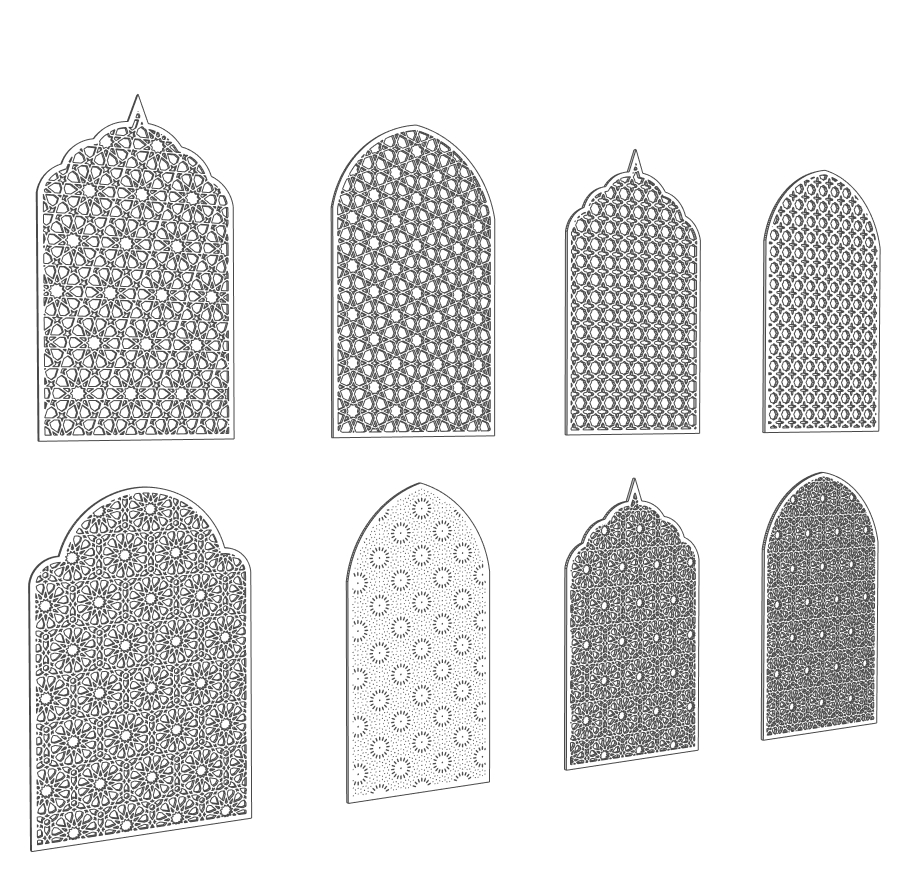
Six previews of the Islamic geometric panel collection
1. Eight-panel front reference
The first preview arranges eight arched screens in two rows. Use it to compare outline, spacing and the contrast between open and dense designs. It is one view of the supplied collection, not eight separate download buttons.
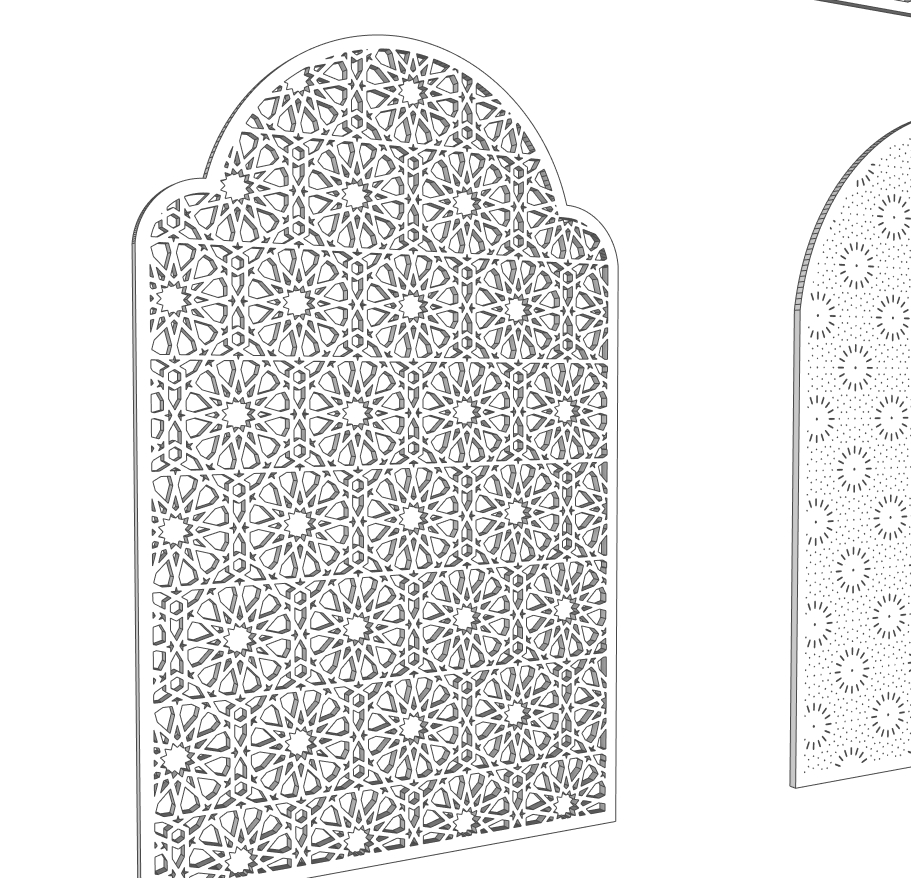
2. Star-rosette panel detail
A large multifoil arch contains an interlocking star-and-polygon composition. Study how the border encloses the repeat and where partial motifs meet the edge. This is a useful detail reference for a decorative wall insert or screen study.
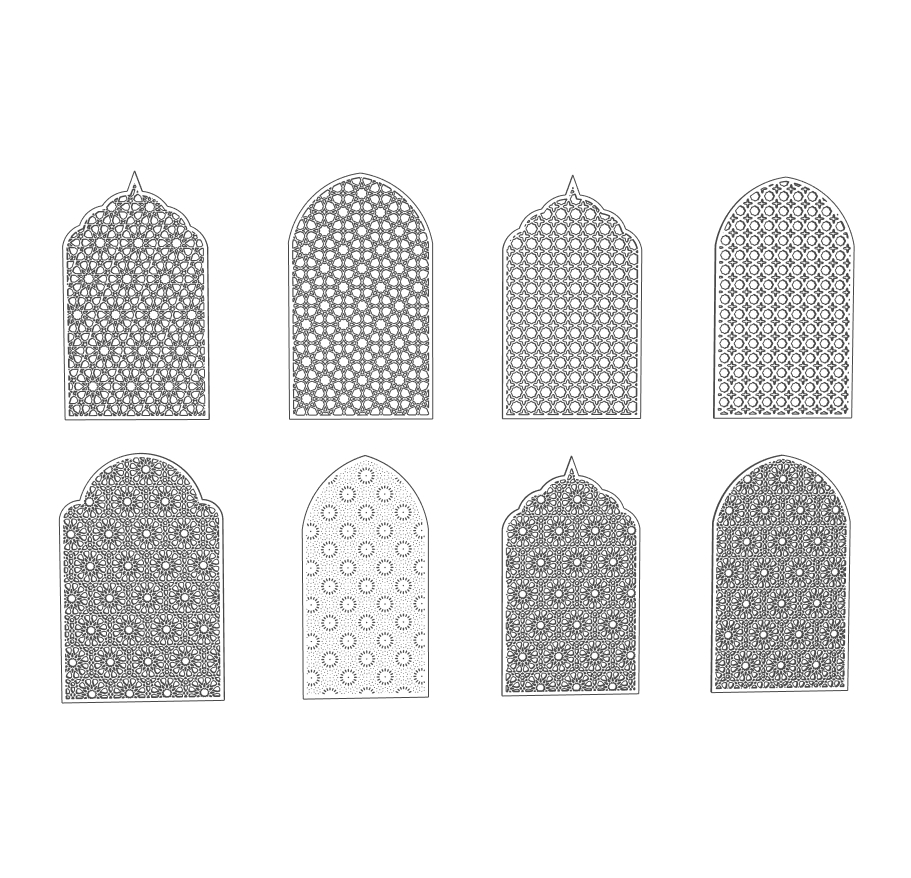
3. Front view for measured comparison
The clear elevation lets you compare pointed, rounded and lobed crowns without perspective distortion. Choose one sample in SketchUp, inspect its dimensions, and compare it against a simple rectangular reference before placing it in an interior.
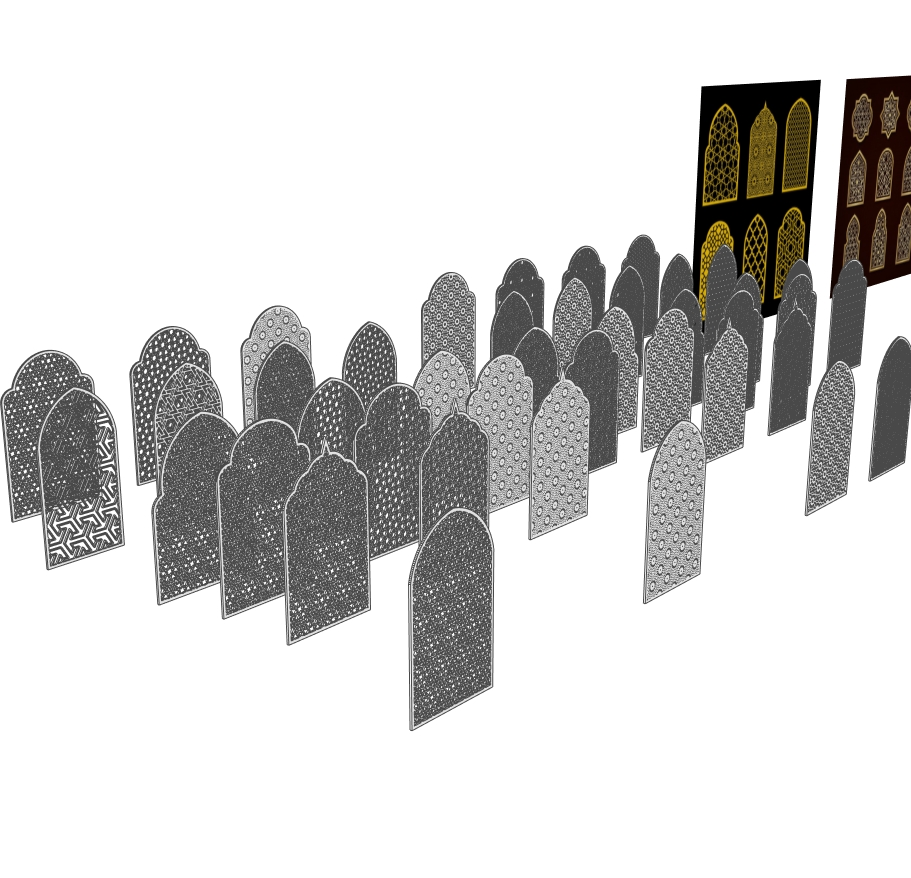
4. Overview of the model collection
The perspective preview shows multiple freestanding samples and larger display boards behind them. Open the SKP separately and identify the part you need. Copy a selected sample into a working scene rather than importing every alternative by default.
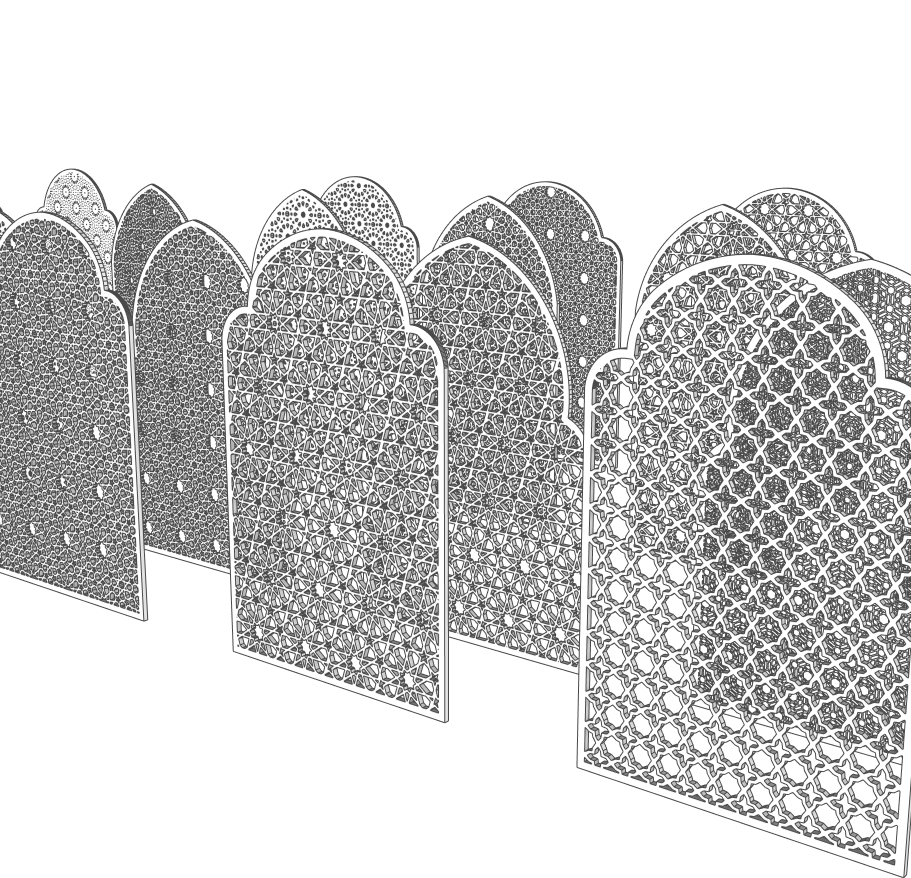
5. Compare the density of neighbouring screens
The foreground panels show coarse angular openings, tighter repeats and small circular or rosette-like perforations. Compare two samples at the same overall height and with the same plain material to avoid confusing pattern differences with scale or colour.
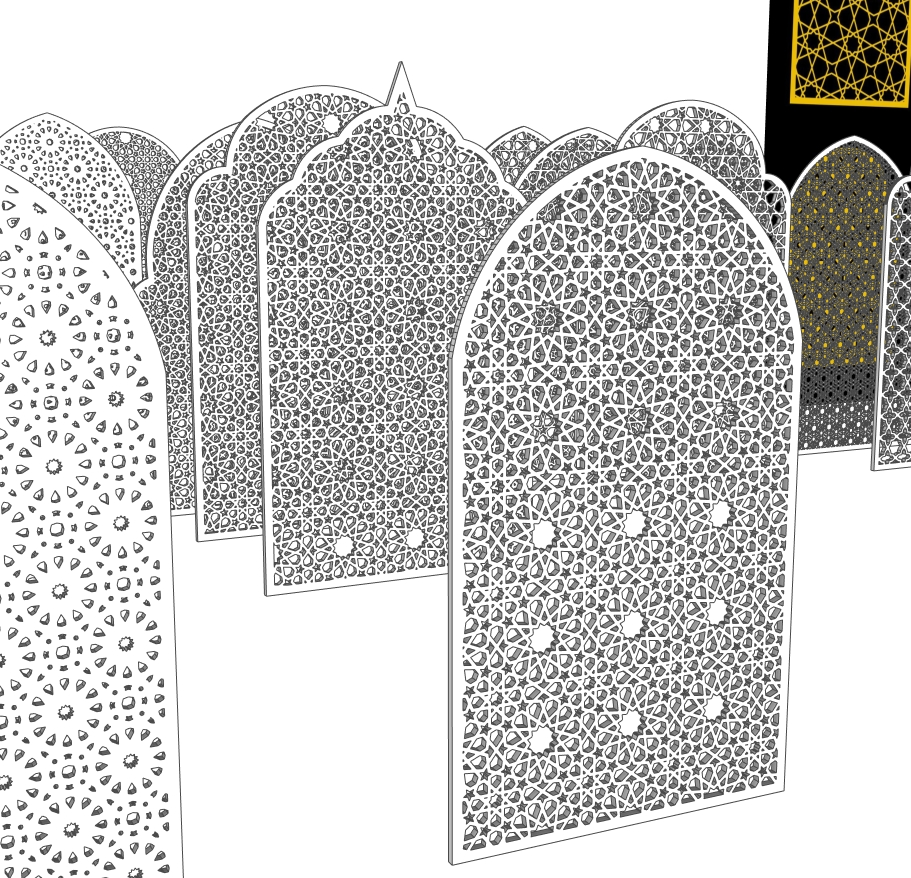
6. Close perspective of pointed and round arches
This view exposes overlapping rows of detailed screens. Use it as a guide when checking a chosen sample from an oblique angle. Inspect the edge, back and intersections as well as the face before deciding how to use it in a presentation.
How to study this SketchUp panel collection
The collection is useful for comparing decorative screen geometry before building an interior or facade presentation. It can support a mashrabiya-style window screen study, a jali-inspired room divider, an arched wall insert or a pattern-selection exercise. These are possible design applications, not supplied construction details.
1. Open a separate working file
Keep the downloaded original and save a working copy. Check the model units, extents and the dimensions of the sample you want to use. The previews do not establish a standard panel size, so measure in SketchUp before placing anything into a room.
2. Compare the arch silhouettes
The front references include rounded, pointed and multifoil crowns. Put two selected samples beside a simple rectangular reference at the same height. Compare the width, the amount of solid border and the way each crown meets the side edges. A related repeat can feel very different inside a different outline.
3. Inspect the repeat and the cutouts
Choose a star-and-polygon sample, a finer lattice and a more openly perforated panel. Compare them with the same plain material. Inspect the narrow connections, partial shapes along the frame and any small disconnected pieces before using the geometry in a close-up render.
4. Test the screen within a scene
Place the chosen sample in a working scene and review both the front and an oblique angle. Check the back, edge thickness and how it sits against the adjoining wall. Use a simple light setup to explore the visual pattern of the openings; this is not a calculated daylight or ventilation test.
5. Keep the scene manageable
The SKP is 59.35 MB. It contains an example collection, so begin by identifying the geometry you actually need. Inspect groups and components before copying a sample into another project. Save a small test scene and check navigation and rendering performance before duplicating detailed screens.
Jali SKP and Islamic arch SketchUp studies
If you are looking for a jali SKP model, these perforated screen studies let you compare star-and-polygon openings within rounded, pointed and multifoil arches. Inspect the border where the repeat meets the curve, and compare a front view with an oblique view to understand the depth. The sample is design-study geometry; verify dimensions and fabrication details separately.
File information
| File | NT Smart Panel Islamic Pattern update-v_2018.skp |
|---|---|
| Format and size | SketchUp SKP · 59,345,629 bytes · 59.35 MB |
| Preview material | Six WebP views and one short MP4 demonstration. |
| Version note | The supplied filename identifies a 2018 save. Open a separate copy in your installed SketchUp version before using it in a project. |
| Scope | Example panel geometry for inspection and design study; not the plugin installer, a Pro license or fabrication documentation. |
Read the model usage policy before reuse. The product license and the conditions for using a downloadable model are separate matters. For background on repetition and geometry, see the Metropolitan Museum’s Islamic geometric pattern guide.
Watch NT Smart Panel in a short demonstration
Play the uploaded clip to see the panel examples in motion. Pause it to compare the visible repeat, arch outline and screen density with the still images.
The video loads when you choose to play it. The six WebP images above remain available for close inspection.
Build a setting around the panel
Explore interior design collections, compare SketchUp furniture models, or study the curved-slat bedroom example for another way repeated elements can shape an interior. To generate a new screen rather than reuse a sample, follow the NT Smart Panel workflow on Nice Tower Pro or the pattern design guide on Nice Tower.
Want to generate your own panels?
NT Smart Panel 0.5.3 is the SketchUp extension used to create patterned panels. The plugin installer is separate from the example SKP collection.
| Option | What is included | When to choose it |
|---|---|---|
| Free version | 14 usable patterns without a license key; preview all 37 patterns. | Install the tool and test the available free designs on your own SketchUp setup. |
| Pro license | Unlocks the 23 additional patterns in the same installer. | Choose it when a required pattern is outside the free set. |
The current Nice Tower product listing is US$10, one payment, for one user on up to two installations. Confirm the current offer on the purchase page. Initial Pro activation requires internet access.
Extract the ZIP, then install the included RBZ through SketchUp Extension Manager. Do not unzip the RBZ. No purchase is needed for the 14 free patterns. Desktop compatibility should be tested with the free version; the product lists 2018–2027 as target versions, not a guarantee for every installation.
Does the SKP file install NT Smart Panel?
No. The SKP contains example model geometry. Use the separate free plugin ZIP if you want the extension. The example download does not activate Pro patterns.
Can I send this model directly for laser cutting?
Check the selected panel’s dimensions, profiles, connections, material thickness and the fabricator’s preferred file format first. The model is a visual study resource; cutting, mounting and structural requirements must be resolved separately.
Download the SketchUp panel example collection
NT Smart Panel Islamic Pattern update-v_2018.skp · SKP model · 59.35 MB. This is the example geometry file, not the plugin installer or a Pro license.
Open the file separately, keep an original copy, and inspect model units, dimensions and organisation before bringing a selected sample into a project. The file name identifies a 2018 save; test opening it in your installed SketchUp version.
Download sample SKP · Google Drive ↗Google Drive opens the file page and may display a download confirmation for this large file. Manufacturing dimensions, fixing details and material specifications need separate verification.