
NICE TOWER PLUS · FREE SKETCHUP FILE
Tesla Roadster SketchUp Model with Futuristic Curved Ramp
Download a Tesla Roadster SketchUp model scene featuring a dramatic curved ramp and open lattice supports. Explore four actual model previews, watch two related Nice Tower Shorts and use the SKP file for a vehicle-presentation or conceptual modeling study.
Watch the Shorts →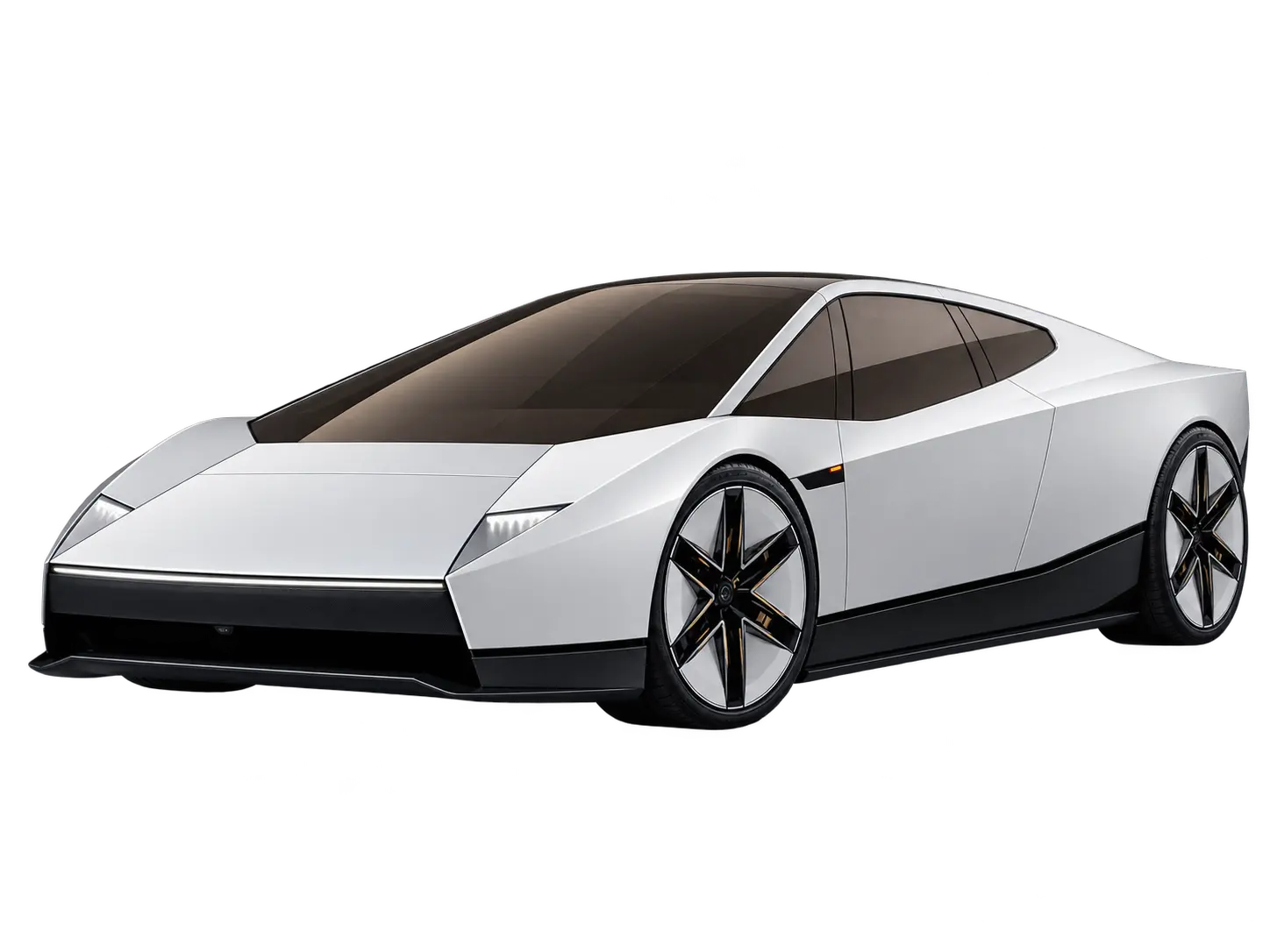
Explore the curved ramp and Roadster scene
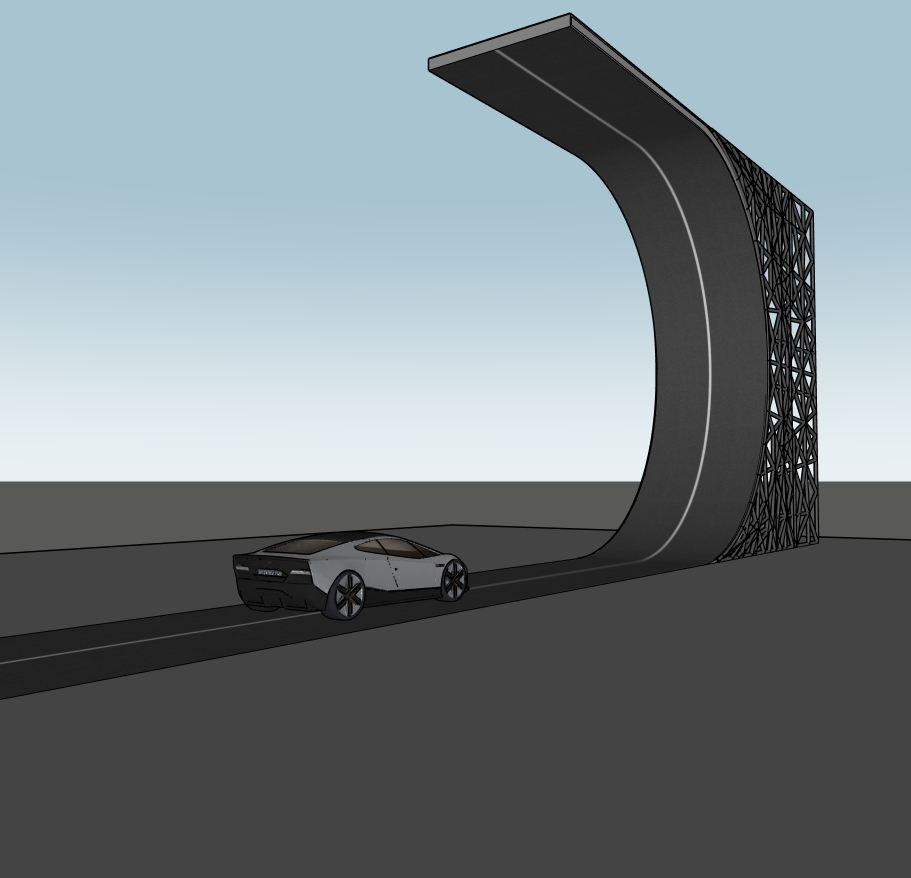
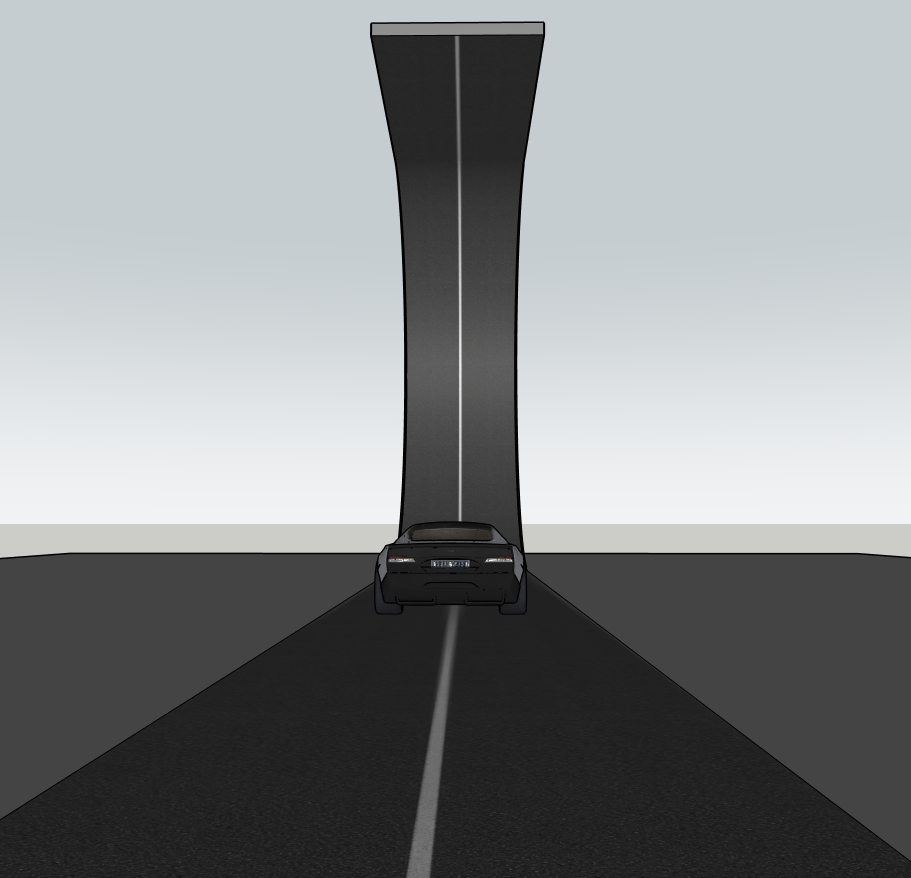
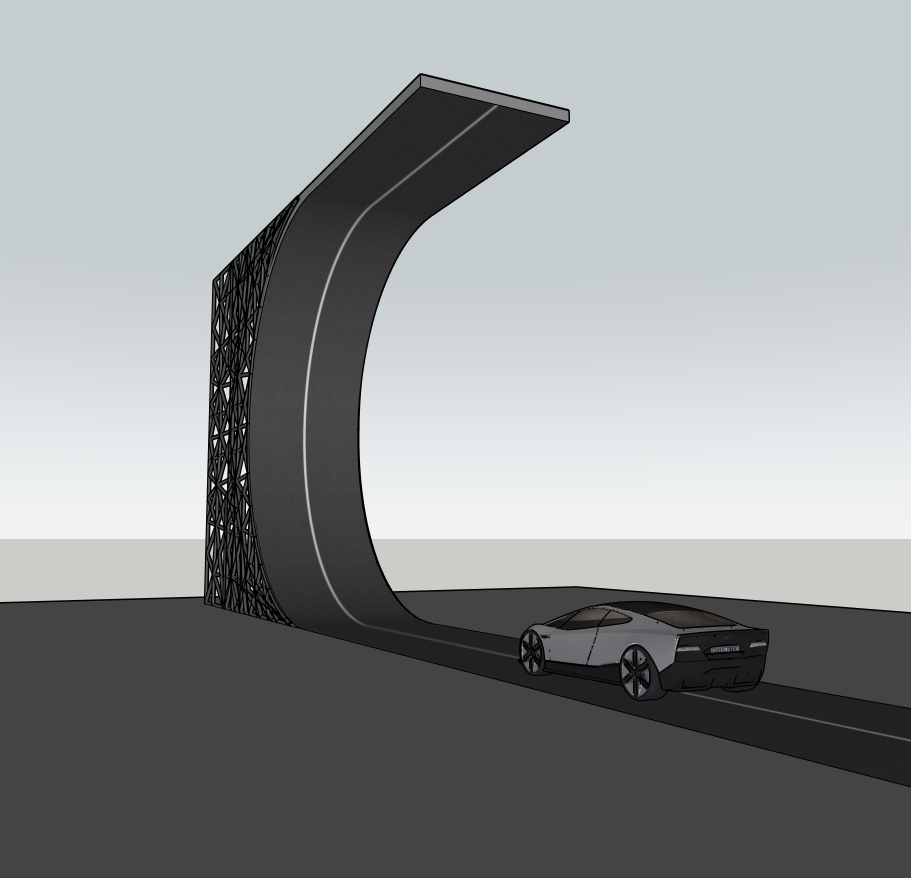
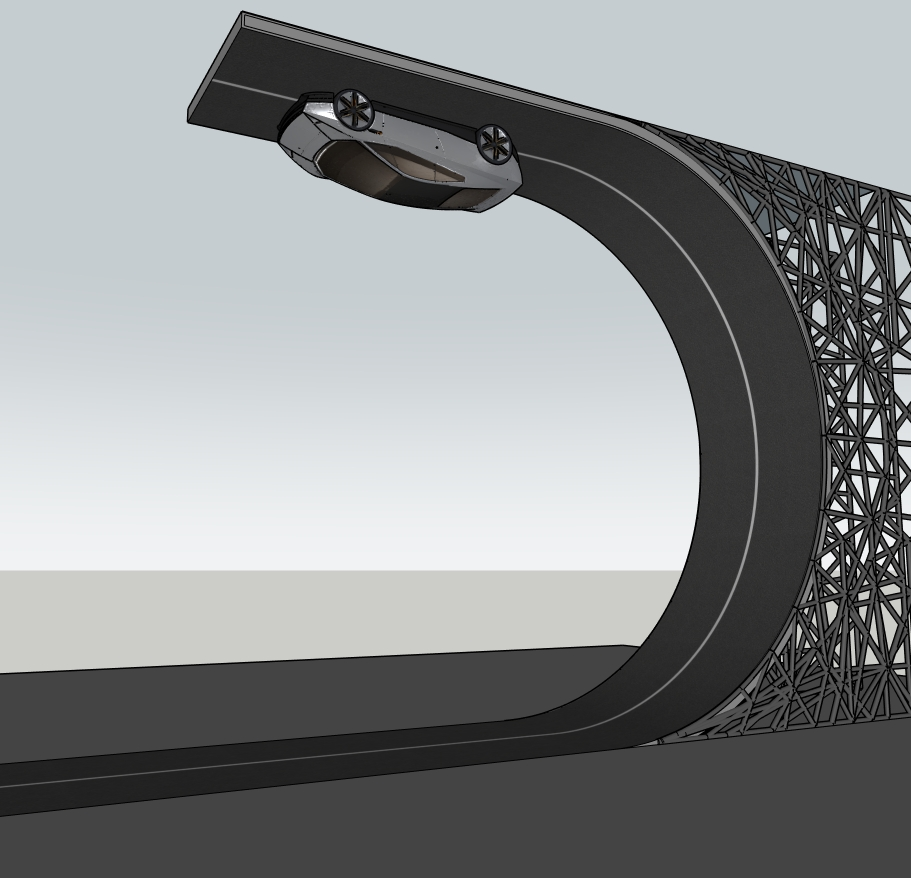
The previews show a grey sports car on a dark road with a single centre line. The road rises into a steep curve, while an exposed lattice-like framework supports its outer side. In one view the vehicle is positioned beneath the upper section, making the scene useful for comparing camera angles and visual storytelling.
This futuristic car ramp 3D model is a conceptual composition. The images do not establish drivable geometry, structural capacity or vehicle performance. Treat it as a SketchUp presentation exercise rather than a construction or engineering reference.
What to study in the model
- Curved road silhouette: compare the transition from the horizontal approach to the raised segment in side and perspective views.
- Support pattern: inspect how the repeated lattice members read from a distance and in a close-up.
- Vehicle placement: keep a copy of the original scene before moving the Roadster to test a new composition.
- Presentation: use consistent camera settings when comparing alternatives so perspective does not hide changes in proportion.
Four Tesla Roadster SketchUp model previews
Open an image to inspect the vehicle, curved ramp and support structure in more detail.
A practical curved ramp modeling study
Open the downloaded file separately and save a working copy before importing it into another SketchUp project. Check the model units and measure the vehicle and road before using them as scale references. The screenshots alone do not confirm real-world dimensions.
- Save a side view to study the ramp profile without perspective distortion.
- Create a rear approach view and compare the road width with the vehicle silhouette.
- Inspect the lattice support with edges visible. Keep decorative geometry separate from any new test geometry you create.
- Save the same camera view before and after changing a material, background or vehicle position. Compare the two scenes rather than editing the original irreversibly.
For official instructions, see SketchUp’s guide to model units and creating scenes. These are practice suggestions, not a claim that the Shorts demonstrate every editing step.
Watch the related Nice Tower Shorts
These short videos provide visual context for the concept and photo-to-model workflow. They are not a complete construction tutorial or proof of real vehicle capability.
SketchUp file details
| File | Roadster Tesla-v_2018.skp |
|---|---|
| Format | SketchUp SKP |
| Version note | The supplied filename identifies a 2018 version. Open a working copy in your SketchUp installation and check compatibility before incorporating it into a project. |
| Subject | Tesla Roadster presentation scene with a futuristic curved road and lattice support |
| Preview media | Four model images and two related Nice Tower Shorts |
| Download source | Google Drive; no registration on this site is required |
| Use | Personal and educational practice under the model usage policy. Not a road, structural or vehicle specification. |
Questions before downloading
Is this a standalone car or a ramp scene?
The supplied previews show the Roadster together with a curved road and lattice support. Review the downloaded file’s groups and components before extracting or reusing any object.
Does the file include a guaranteed render setup?
No render-engine setup is promised here. The displayed images are SketchUp-style model previews. Materials and the appearance of an imported file can vary with your SketchUp and rendering settings.
Can I use the ramp as a real design specification?
No. This is a visual concept model for study and presentation. Its form is not evidence of structural safety or a road suitable for use.
Explore related SketchUp models
Continue with the Twisted Frame Pavilion for a repeated-frame study, or the Twisted Wooden Pergola for another changing silhouette. Browse outdoor SketchUp models and all model collections for more practice files.
Download the Tesla Roadster SketchUp model
Get Roadster Tesla-v_2018.skp from the supplied Google Drive file. Save an untouched original, then open a separate copy for your curved ramp and car-presentation exercises.
Download SKP ↓Open in Google Drive ↗Google Drive may show a download confirmation. Personal and educational use only; see the usage policy before reuse.