
FREE SKP · NICE TOWER PLUS
Tree of Life SketchUp Model
Study a branching Tree of Life wall decoration in SketchUp, with three close views and the matching 42-second Nice Tower Short. Download the SKP to explore the trunk, roots and individual leaf shapes.
Download SKP Watch the Short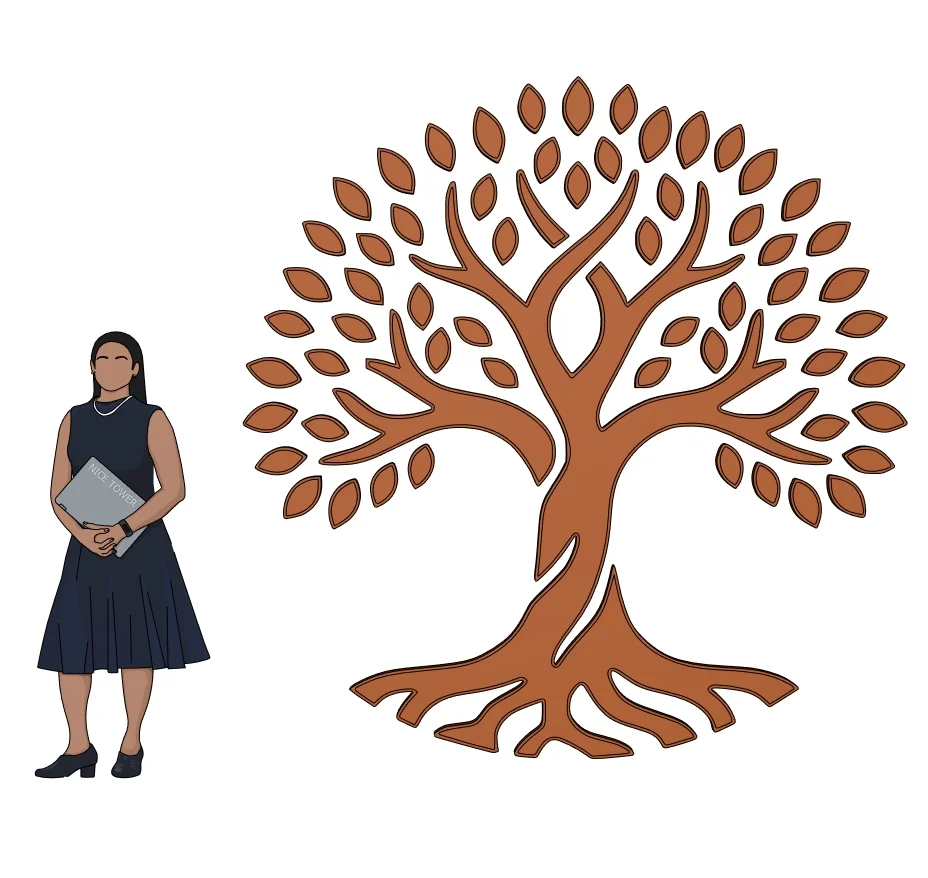
What to study in this decorative wall art model
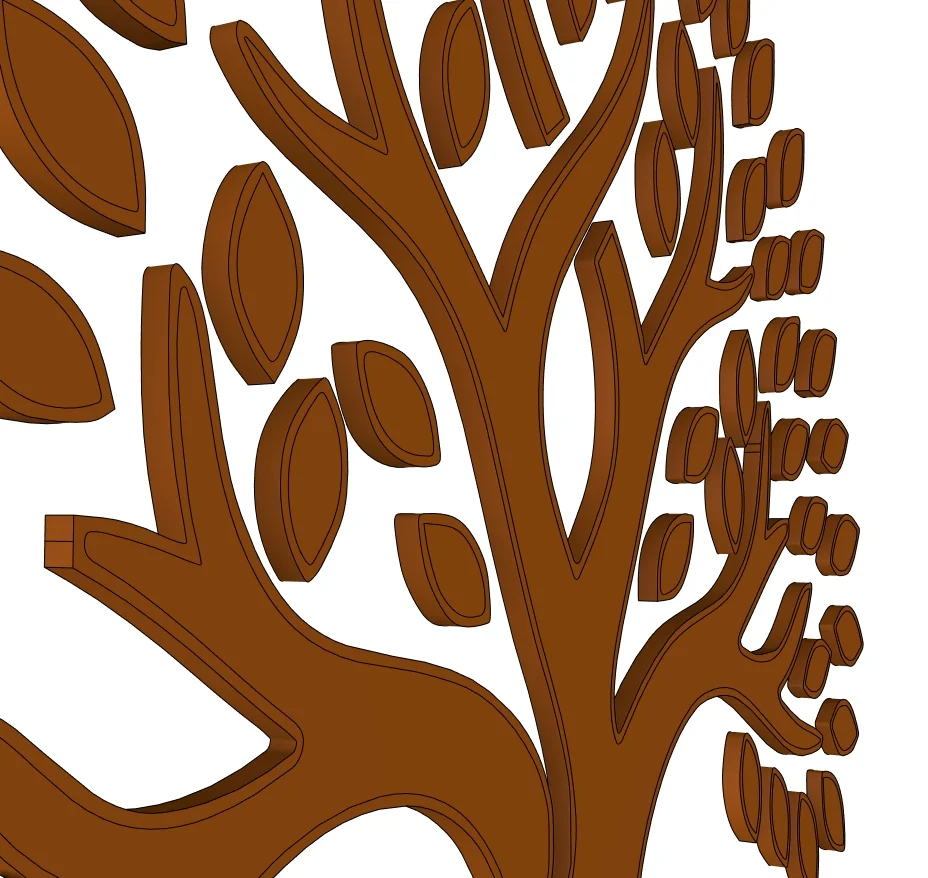
This brown decorative relief combines a broad crown, a central trunk and spreading roots. The oblique preview shows that the artwork has depth rather than being only a flat image. The closer view is useful for studying where the small leaves meet the branches and how the outline reads against a plain wall.
Three views of the supplied model
Select a preview to enlarge it. These are model views, not a promise of photorealistic rendered output.

Use the model for a focused SketchUp study
The following exercises are suggestions for inspecting the download, rather than a claim that every step appears in the Short.
1. Read the silhouette
Compare the overall width of the canopy with the roots. For a feature-wall composition, leave enough clear background around the small outer leaves so their shape remains readable.
2. Inspect depth from the side
Use an oblique camera view to distinguish the front profile from the relief thickness. Do not judge the depth from the front preview alone.
3. Test a wall composition
Work on a copy of the download. Place the artwork against a simple wall face, then compare a centered layout with an offset composition before adding other decoration.
For the underlying tool behavior, see SketchUp components guide.
Watch the matching Nice Tower Short
The matching Short uses FaceUp to turn a 2D Tree of Life drawing into decorative 3D geometry. It is a compact demonstration, rather than a complete beginner course. Watch the conversion first, then use the supplied model to examine the resulting outline and thickness.
Download file specifications
| File | Decorative Tree of Life Wall Art 3D Model-v_2018.skp |
|---|---|
| Format and size | .skp · 84,602,994 bytes (80.68 MiB) |
| SketchUp format | Saved in SketchUp 2018 format; verified file header 18.0.1. Use a compatible desktop SketchUp version to inspect the model. |
| Category | Decorative wall art |
| Included previews | Three model views. The images show the supplied design; inspect the SKP for its editable geometry. |
| Intended use | Personal modeling practice and educational study; not construction documentation. |
| Availability | Free public Google Drive download; no site registration required. Google Drive may display a download confirmation for large files. |
Questions about this download
Can I use the download directly for CNC cutting?
This is a SketchUp study model, not a verified machining file. FaceUp is demonstrated in the video, but toolpaths, tolerances and fabrication checks are not supplied.
How should I open and inspect the SKP?
Download the file, keep an untouched original and open a copy in a compatible desktop SketchUp installation. Inspect the model scale and component structure before adapting it to your own scene. A SketchUp file is not a substitute for project-specific measurements.
Is registration required, and what use is permitted?
No Nice Tower Plus registration is required for this public download. Use it for personal modeling practice and educational study under our model use policy. The download does not establish construction or manufacturing suitability.
Download the Tree of Life SketchUp Model
Decorative Tree of Life Wall Art 3D Model-v_2018.skp · 80.68 MiB · SketchUp 2018 format
Download free SKP Open file in Google DriveContinue with related models and tools
For longer guided learning, explore Nice Tower SketchUp courses. For additional modeling tools, see NT Plugins. These are separate resources, not requirements verified for this download.